Native Mac app

Backrooms Builder.

Build a Backrooms level, place lights, and record a first-person walkthrough—without learning Blender's complicated building controls.

$3.00 one-time purchase Apple-silicon Mac macOS 14+ Made for beginners
A faster way to build

Make the level—not the setup.

Pick a wall, floor, or ceiling and click to place it. Everything snaps together, so you can make a clean maze in minutes instead of learning Blender's menus, coordinates, and modeling tools.

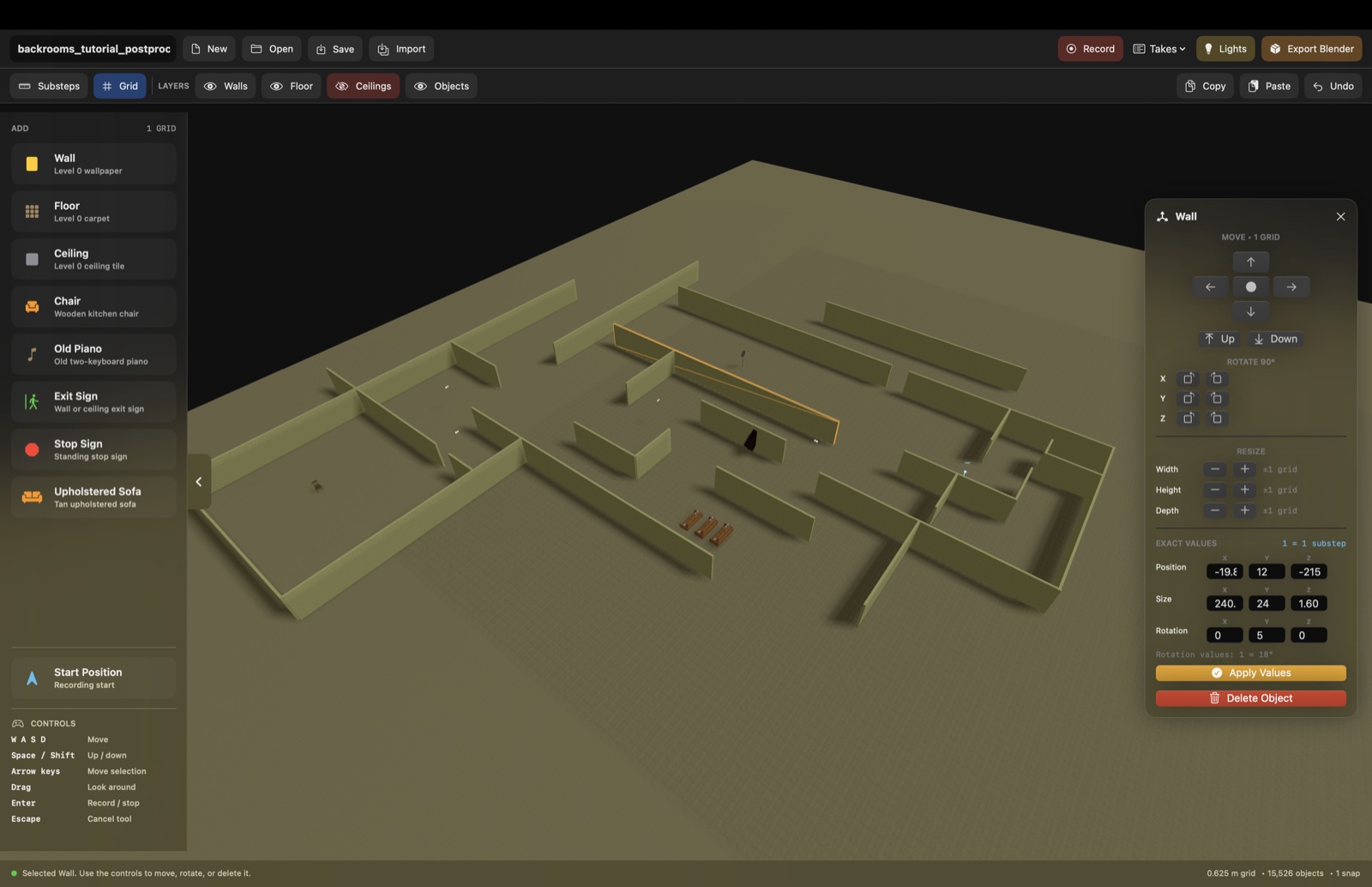
Backrooms Builder showing a large grid-aligned maze with the wall editing controls open

Build an entire grid-aligned maze, then select any piece to move, rotate, or resize it.

1 · Build

Click pieces into place.

  • Place walls, floors, and ceilings on a snapping grid.
  • Resize, rotate, copy, hide, or move whole pieces.
  • Add ceiling lights from a clear top-down view.
2 · Record

Walk through your maze.

  • Set your starting position.
  • Press Record and move in first person.
  • Keep multiple takes and choose your favorite.
3 · Finish

Turn it into a short film.

  • Export the full layout and camera recording to Blender.
  • Keep editing and rendering options available.
  • Use the included AI prompt for guided help.
See it in action

Build. Light. Record.

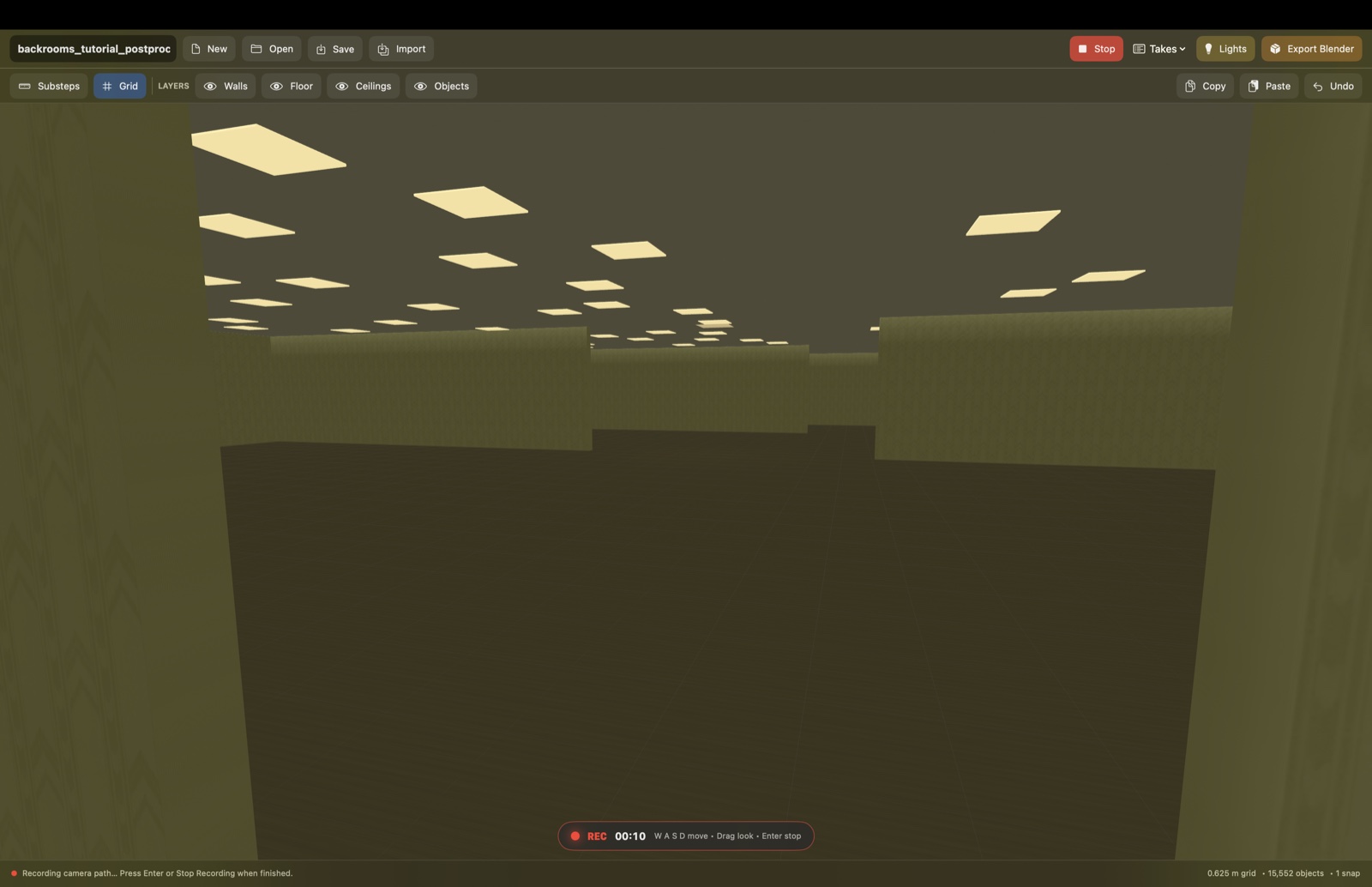
The focused editor keeps level design simple: place structural pieces, choose ceiling fixtures from above, and record a first-person camera path without switching to Blender.

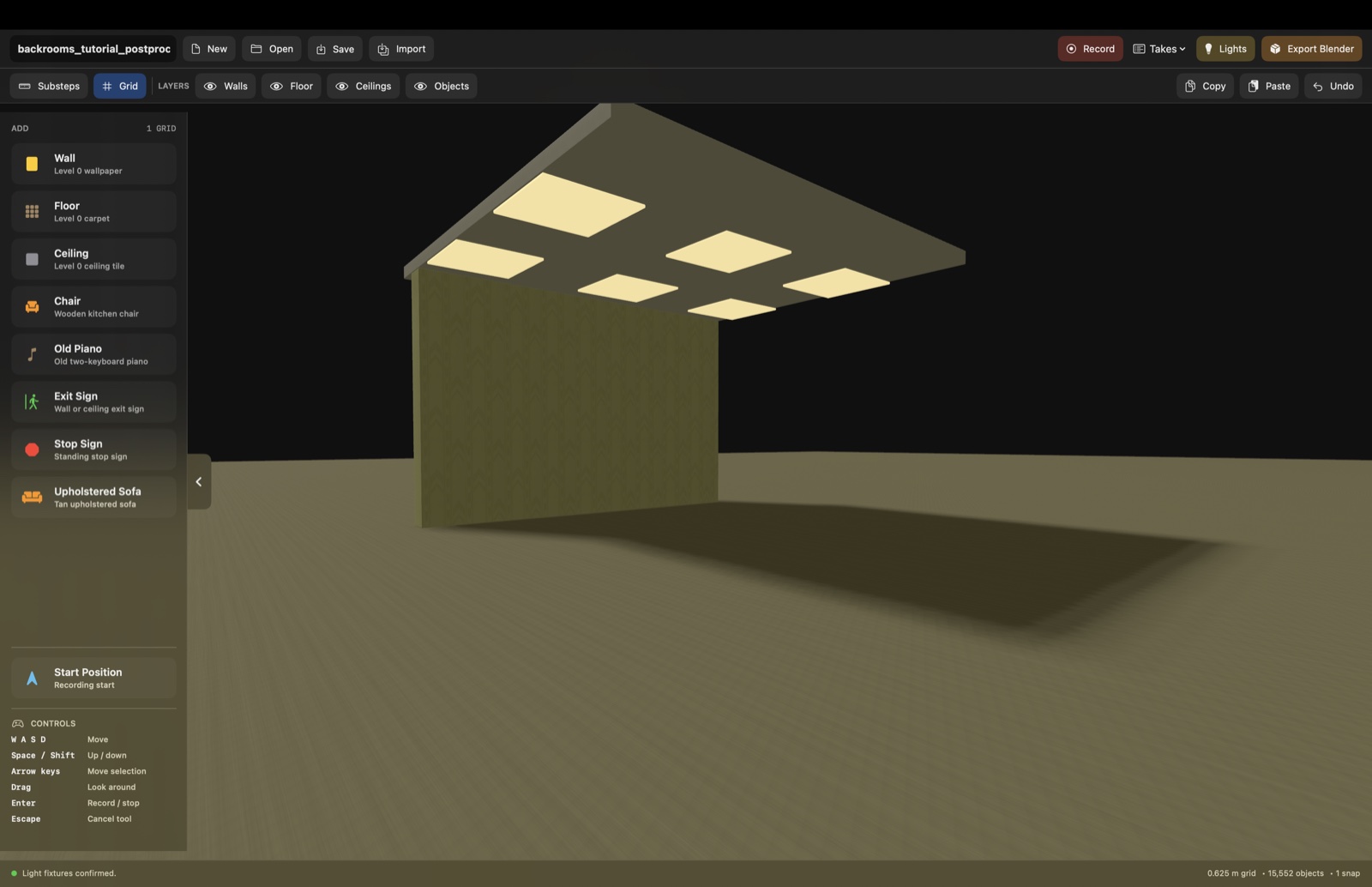
Backrooms Builder showing ceiling lights placed above a wall and floor
Place complete rooms Walls, floors, ceilings, and fixtures stay aligned to the same dependable grid.
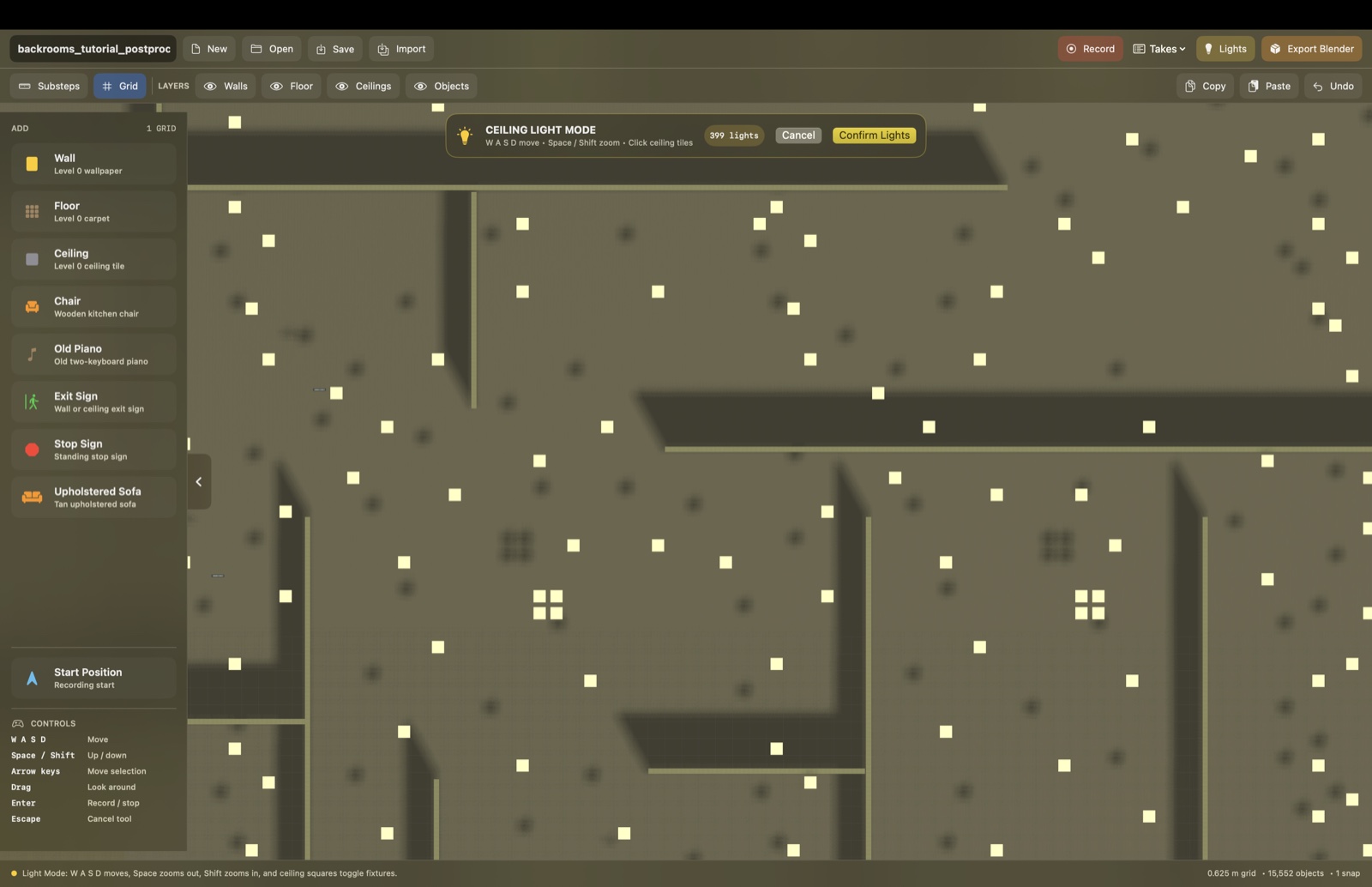
Top-down ceiling Light Mode with selected fixtures and visible walls
Choose every ceiling light Light Mode makes the ceiling transparent enough to see the maze beneath it.
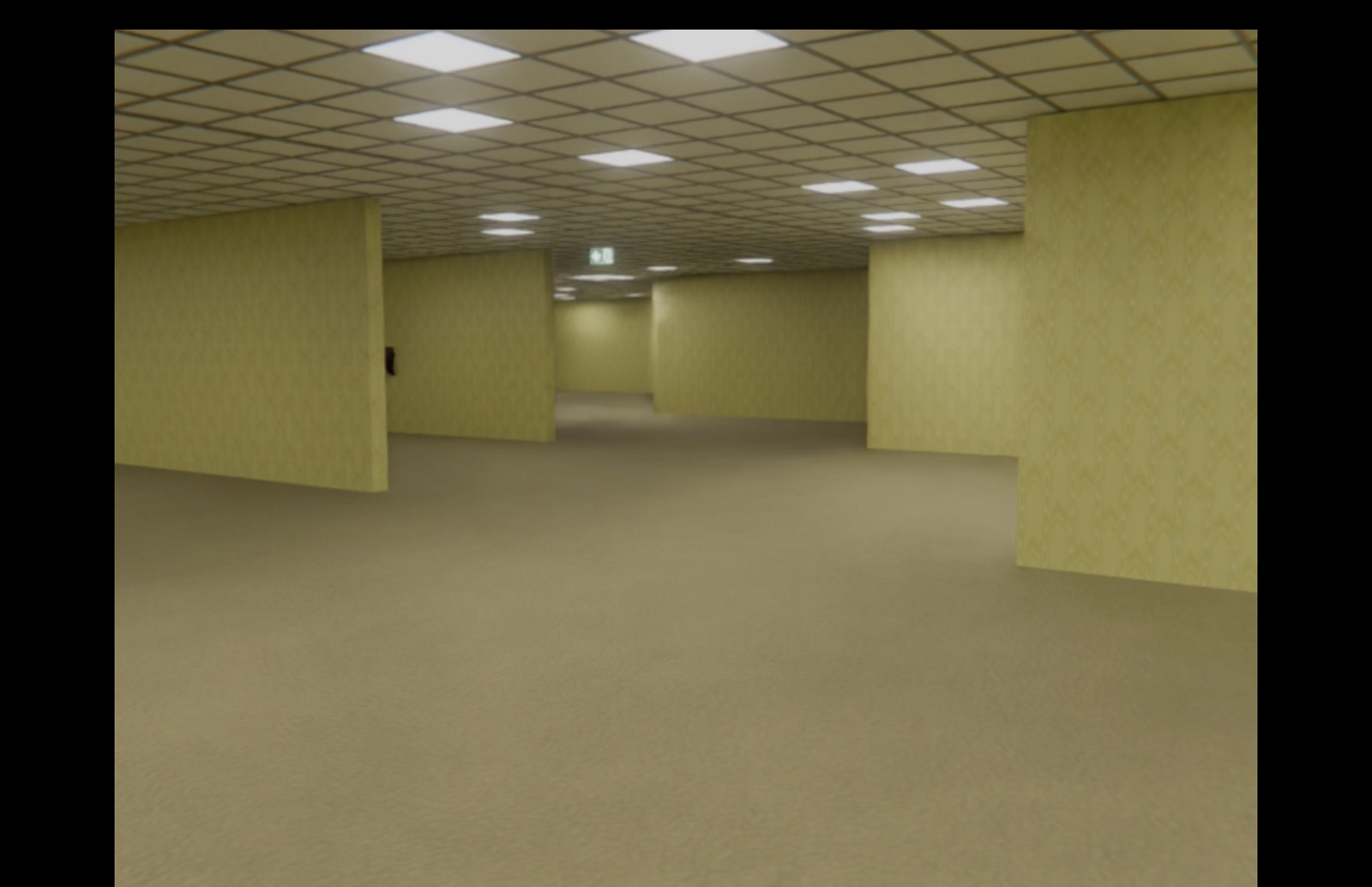
First-person recording mode inside a Backrooms Builder level
Record in first person Press Record, walk through the level, and export that motion as an editable Blender camera.
Why it is faster

Blender power without Blender building.

Blender is great for final rendering, but ordinary level building means learning modes, transforms, snapping, materials, camera animation, and dozens of controls. Backrooms Builder gives you only the tools this job needs.

Why it is easier

Everything already understands the grid.

Pieces line up automatically, ceilings stay divided for light placement, and your recorded walk becomes camera motion. You spend your time designing the maze instead of fixing misplaced geometry.

Requirements

What you need.

Apple silicon only macOS 14 Sonoma or newer Blender in `/Applications` for Blender export
The current build is not notarized, so its first launch uses the manual Open step below.
First launch

Control-click, then Open.

  1. Drag Backrooms Builder.app into Applications.
  2. Control-click the app and choose Open.
  3. Choose Open again in the confirmation window.
Free updates

Already bought it?

Return with the same browser and download the newest Backrooms Builder at no extra charge. Your private update key is saved after checkout; the ZIP itself never becomes public.

Current release

Version 0.2.1 · build 3

This update keeps wall, ceiling, and ceiling-mounted object heights consistent between Builder and Blender, and makes object transforms more reliable when exported.

You can also choose “Check for Backrooms Builder Updates” from the app’s Help menu.

Included in the ZIP

What the customer gets.

  • Backrooms Builder 0.2.1 for macOS (build 3, arm64).
  • START_HERE.md beginner quick-start guide.
  • BACKROOMS_BUILDER_AI_TUTOR_PROMPT.md for AI-assisted help and footage-editing guidance.
  • Release notes and asset notices.
License summary

Simple one-person license.

  • One-person license for Macs you personally control.
  • Commercial videos, images, and original layouts/output are allowed.
  • The app ZIP itself cannot be shared, resold, uploaded, or redistributed.